Brat Generator

Create your brat-style image.

Customize your brat text style

Style

Background
Text color
Canvas size
Text automatically fits the canvas.
SmallLarge
More options

Custom canvas

Add an emoji

Preview

Square
brat
Download quality

Use this free online brat text generator to create custom brat-style images in seconds. Type your message, explore seven presets, adjust colors and text size, then download a ready-to-share PNG without signing up.

Three simple steps

How to use the brat text generator

The brat generator workflow builds a custom brat-style graphic from start to finish without opening a separate editor. Every choice appears in the live preview, so you can compare treatments before saving the final image.

  1. Type your text

    Enter a word, caption, quote, or short message in the brat text generator box. The preview updates as you type, and multi-line text is supported on larger screens. Short phrases usually create the clearest brat-style image, but the automatic text fit helps longer messages stay inside the selected canvas.

  2. Pick a preset and colors

    Choose one of seven brat-style presets, then adjust the background and text colors to match your idea. You can keep the familiar green-and-black brat aesthetic, switch to a soft pastel palette, or build a high-contrast neon design. The font-size slider lets you balance impact and readability before export.

  3. Download your PNG

    Select a practical output size, check the live preview, and download the finished PNG in one click. The brat generator ships with Square 256 × 256, Wide 512 × 256, and Portrait 400 × 600 presets, and custom width and height sliders cover anything else. Pick a download quality of ×1, ×2, or ×3 before saving when you want a higher-resolution file for printing or sharper social shares.

Brat generator facts at a glance

Cost
Free. No account, sign-up, or payment is required.
Processing
Images are generated entirely in your browser. The text you type is not uploaded or stored by this tool.
Output
PNG files. Canvas presets are Square 256 × 256, Wide 512 × 256, and Portrait 400 × 600, with custom width and height sliders in between. Download quality ×1, ×2, or ×3 multiplies those pixels, and the filename shows the real resolution.
Text control
Text size is a percentage of the best-fitting size. Up to 100% the text stays inside the canvas automatically; above 100% poster mode intentionally lets the edges crop.
Sharing limits
Copy image and Share rely on browser clipboard and share-sheet support, which varies by device. Download PNG always works.
Identity
An independent, fan-made tool. Not affiliated with, endorsed by, or sponsored by the brat album or its artist.

Brat text style examples

Select any example to load it into the free brat generator, then replace the sample word with your own message and customize the colors.

Seven starting points

Choose a brat-style preset for your message

Each brat text generator preset changes more than color. Capitalization, shadows, borders, gradients, spacing, and corner shapes all influence how your message reads at a glance.

Original Brat

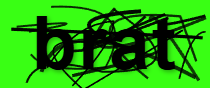
Original Brat delivers the most recognizable brat-style look: bold lowercase text, a bright acid-green base, and irregular line details that give the image a slightly restless edge. The brat generator can refresh those line details for a new variation. Use it when you want a direct, minimal graphic that reads immediately in a feed, profile grid, reaction post, or music-inspired mood board.

Classic Brat

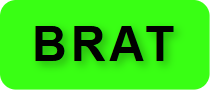
Classic Brat keeps the vivid green background but shifts the message to uppercase text inside a subtly rounded frame. It feels cleaner and more structured than the original preset while preserving the same sharp color contrast. This brat-style option works well for short announcements, usernames, labels, headlines, and compact square profile images.

Neon Glow

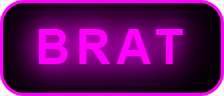
Neon Glow places bright magenta text on a black background with a layered light effect and matching border. The result resembles illuminated signage without requiring design software. Try this brat-style image for nightlife posters, DJ announcements, rave-inspired graphics, party invitations, gaming profiles, or any message that needs to stand out against a dark layout.

Retro Wave

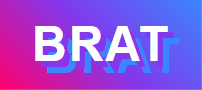
Retro Wave combines white uppercase text with an energetic pink, purple, and blue gradient. Offset shadows create the dimensional feeling associated with 1980s synthwave artwork. It is a strong choice for throwback posts, playlist covers, event teasers, nostalgic captions, and colorful social graphics where a plain brat generator background would feel too restrained.

Soft Pastel

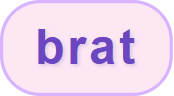
Soft Pastel uses lowercase purple text, a pale pink background, rounded corners, and a gentle border. This brat-style preset makes the brat aesthetic feel friendly rather than confrontational while keeping the message simple and readable. Choose it for personal notes, beauty content, cozy mood boards, friendship posts, lighthearted captions, and sweet profile-picture ideas.

Metallic

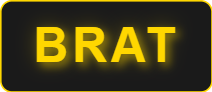
Metallic pairs gold text with a near-black background, a fine gold outline, and a restrained glow. It gives short words a polished, premium character while staying easy to read at small sizes. This brat-style preset suits launch announcements, fashion edits, achievement posts, club branding concepts, celebration graphics, and dramatic merchandise mockups.

Bubble Pop

Bubble Pop turns the format playful with white text, a bright pink background, a thick white border, and fully rounded edges. The brat-style result feels closer to a sticker or badge than an album-cover layout. Use it for cheerful memes, birthday graphics, pop-culture reactions, cute labels, creator avatars, and upbeat captions that should feel fun at first glance.

Ideas for your next graphic

What can you make with a brat generator?

This brat text generator adapts to quick social posts, personal graphics, event concepts, and early design mockups. Start with these common uses, then adjust the text and canvas for your platform.

Instagram Stories

Create a bold title card, reaction slide, or announcement, then place the downloaded PNG into your Story editor. The 400 × 600 option gives vertical content more room, while a square brat-style image can sit neatly between photos, stickers, and polls.

TikTok captions

Turn a short hook, lyric-free phrase, or punchline into a graphic before adding it to a TikTok edit. High-contrast presets stay legible on a phone screen, and the brat text generator makes it easy to test several visual moods without rebuilding the caption from scratch.

Profile pictures

Use a name, initial, inside joke, or one-word mood for a simple avatar. Square 180 × 180, 256 × 256, and 512 × 512 canvases are designed for profile-picture workflows, and the brat generator preview helps keep important text away from likely circular crops.

Party posters

Draft a headline for a birthday, club night, listening party, or casual event. Neon Glow and Retro Wave provide energetic starting points, while the color controls let you coordinate the brat-style title with the rest of a poster assembled in your preferred editing app.

Memes and reactions

Minimal text often makes the strongest reaction image. Enter a compact phrase in the brat generator, choose a recognizable preset, and export a reusable PNG for group chats or social posts. A random style can also reveal unexpected color combinations when the classic brat aesthetic feels too predictable.

Merch mockups

Generate quick brat-style graphics for stickers, badges, shirts, or tote-bag concepts before preparing production artwork. The downloaded image is useful for early mockups, but commercial users should choose original wording and independently check any trademark, copyright, and production requirements that apply to the final design.

Helpful answers

Brat text generator FAQ

Learn how the free tool works, which image sizes it supports, and what to consider before using a brat-style image in a public or commercial project.

What is a brat text generator?

A brat text generator is an online design tool that turns your words into a bold, minimal text image associated with the brat aesthetic. This version includes a live preview, seven ready-made styles, custom foreground and background colors, adjustable text sizing, several canvas dimensions, and direct PNG download in the browser.

Is this brat generator free to use?

Yes. The brat generator is free to use and does not require an account or sign-up. You can type text, test presets, change colors, adjust the canvas, and download multiple PNG files. The design is produced in your browser, so there is no credit balance or paid export step.

How do I download my brat-style text image?

Finish your design in the live preview, pick a download quality, and press Download PNG. Quality ×1, ×2, and ×3 multiply the canvas pixels, so a 256 × 256 square saves as 256, 512, or 768 pixels wide. The filename always shows the real resolution of the saved file, for example brat-512x512.png.

Why does my download look blurry, and how do I export a sharper image?

Blur usually means the PNG was saved at ×1 quality and then stretched by the app or website displaying it. Switch the download quality to ×2 or ×3 before pressing Download PNG. The extra pixels keep edges and small letters crisp when the image is enlarged, cropped, or shown on a high-resolution phone screen.

What image sizes are available?

The canvas presets are Square 256 × 256, Wide 512 × 256, and Portrait 400 × 600, and the custom width and height sliders cover sizes from 180 pixels up. The canvas is the logical layout size: on a phone the preview scales to fit your screen, but the saved PNG always uses the full canvas size you selected.

Can I use brat generator images for commercial projects?

You can use the tool to create brat-style graphics for personal or commercial project drafts, but you remain responsible for the content and final usage. The tool does not grant rights to third-party names, lyrics, logos, trademarks, or copyrighted artwork. Use original wording and obtain professional advice when a commercial campaign raises intellectual-property questions.

What does the brat aesthetic look like?

The brat aesthetic is direct, high-contrast, and intentionally uncomplicated. Its best-known treatment combines black lowercase text with a vivid acid-green background, although the broader visual mood also supports rough details, stark typography, playful imperfection, neon colors, and confident short statements. Alternative presets explore that attitude without copying one fixed layout.

How does text sizing work?

Choose any background color and text color, then use the text size slider. The slider is a percentage of the largest size that fits your canvas and text length: up to 100% the text is kept inside the canvas automatically, while settings above 100% switch to poster mode, where the text is intentionally larger than the canvas and the edges are cropped. You can also switch presets to change capitalization, shadows, borders, gradients, corner shapes, and spacing.

How do I get back to the plain green brat look?

Use Reset to classic next to the text box, or select the Classic Brat preset. Both restore the simple green canvas with black text. The scribble-line background belongs to the Original Brat preset, so it only reappears when you choose that style or a random style that happens to include it.

Why does Copy image sometimes fail on my phone?

Copying an image to the clipboard depends on support that varies between mobile browsers and system versions, so the button can fail even when the preview looks fine. When it does, use Download PNG instead; the saved file can be attached or pasted in any app. Share uses your device share sheet when the browser supports sharing image files.

Is this an official Charli XCX brat generator?

No. This is an independent, fan-made design tool inspired by a widely recognized visual trend. It is not affiliated with, endorsed by, or sponsored by Charli XCX or her rights holders. The preset names describe visual treatments available in this tool and should not be read as official branding or authorization.